New Release: Lead Dashboard
What's New
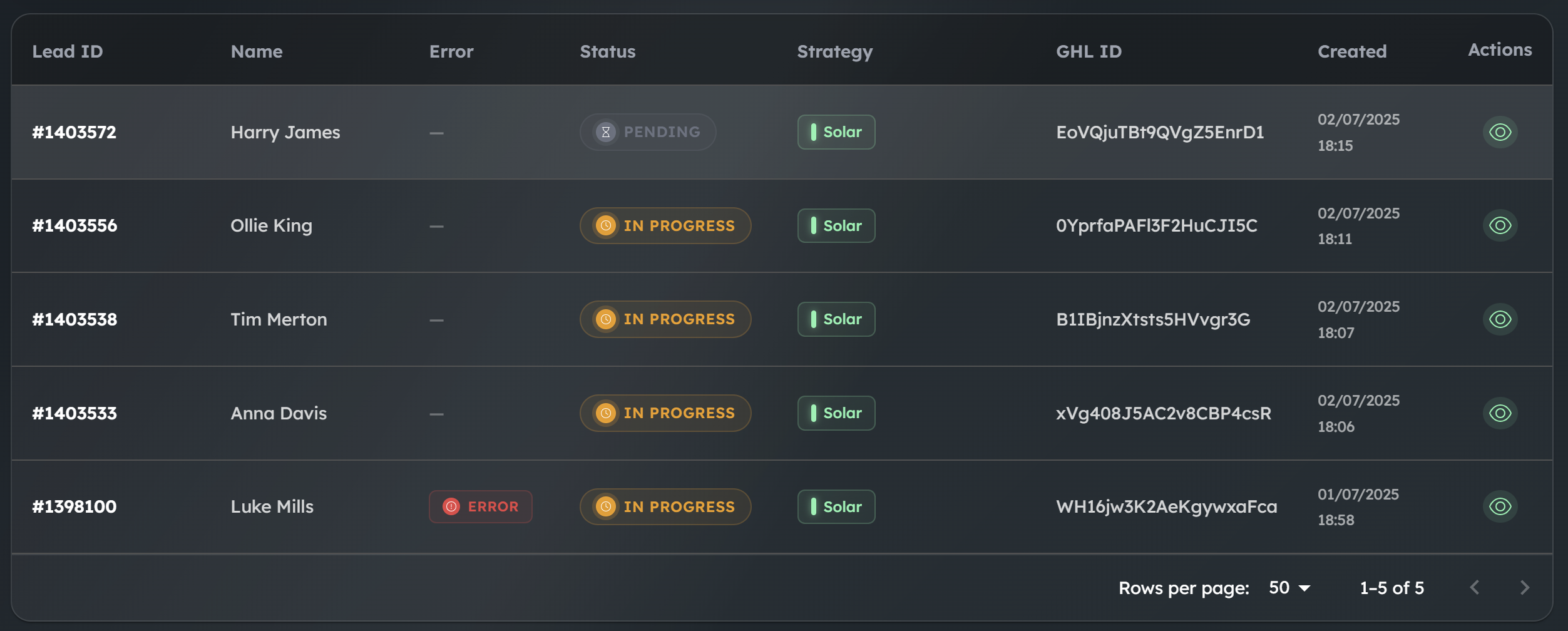
A centralized hub to monitor and manage all your leads with real-time visibility into their status and performance.
💬 View Lead Conversations

One-Click Access: Click the eye icon on any lead to instantly view the full conversation history
Complete Context: See all messages exchanged between your AI and the lead
Conversation Timeline: View the entire flow from initial contact through follow-ups
Lead Details: Access complete lead information including:
Contact information and metadata
Strategy used for engagement
Timestamps for all interactions
Current status and progress
Debug Failed Conversations: For leads with errors, see exactly where the conversation stopped and what went wrong
⚡ Error Management

Spot failed leads immediately with prominent error indicators
Hover over error badges to see detailed error messages
Filter to show only leads with errors for quick troubleshooting
Clear visual distinction between different error types
Retry Failed Leads: One-click retry for leads with errors after fixes are applied
Bulk Actions: Select multiple leads for mass retry or status updates
📊 Performance Metrics

Monitor conversion rates (successful vs. failed leads)
Track average completion progress across all active leads
View total lead counts by status
Click any metric card to instantly filter the table
🎯 Efficient Lead Management

Search leads by ID, GHL ID, or name
Sort by any column (date, status, strategy, etc.)
Filter by status, progress percentage, date range, or strategy
View 10-100 leads per page with pagination
🚀 Getting Started
Access the Lead Dashboard from the main navigation menu
Select your client to view their leads
Use the search bar for quick lead lookup or apply filters to narrow down results
Click on any lead's eye icon to dive into conversation details
💡 Pro Tips
Use the Test Leads toggle to hide test data and focus on real customer interactions
Click the metric cards at the top to quickly filter by lead status
Combine multiple filters to create powerful queries (e.g., "Failed leads from last week")
Set up regular check-ins to monitor failed leads and retry them after addressing issues